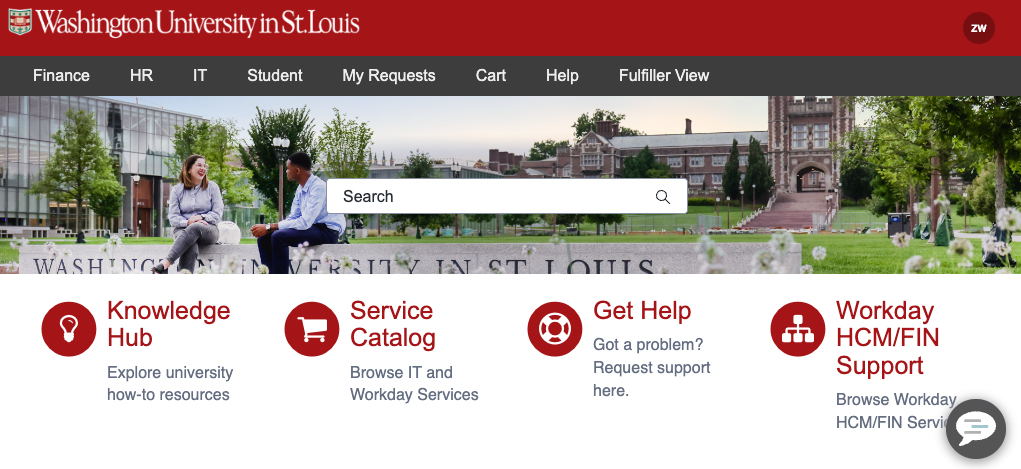
Order standard computers from the WashU IT Depot. You can add accessories and peripherals in the same place.
Faculty and Staff
For items not listed, including tablets, complete the Custom Client Hardware and Software form or Custom Hardware Accessories form.
Still not finding what you’re looking for? See the full ServiceNow catalog: Order a new computer, laptop or accessories.
To request hardware moved, please submit the Get Help Form in ServiceNow.
Information about and a guide on how to use ServiceNow can be found on the ServiceNow How To page.
Students
The Student Technology Services website provides the minimum and recommended specifications that laptops should meet, to provide a central location for specific requirements that the individual WashU schools may have, as well as to provide links to purchase specific models that meet those requirements.
Loaner Laptops
WashU IT teams have a limited number of loaner laptops that are available for departments to request for the following uses:
- Temporary laptop while their assigned device is being fixed
- Short-term loan request for travel or event
- Other usage approved by the WashU IT team
Note: loaner laptops available from the WashU IT team are for WashU Staff usage only. Requests for student, classroom, or other personnel use will not be fulfilled.
To request a loaner laptop, submit the Loaner Laptop catalog item in ServiceNow or call 314-933-3333. Please note that every request for a loaner is subject to review and approval by the WashU IT deskside team based upon the requested usage.
Due to COVID-19, the WashU IT teams temporarily allowed loaners to be requested for work from home purposes. This option is no longer available as that pool of loaners has been exhausted. We recommend that departments purchase new equipment through the ServiceNow catalog to meet their work from home needs.
If you pick up a loaner while on campus, you need to log on to it before you leave campus. Otherwise, you will need to contact support to log in your first time at 314-933-3333.
Depot News
Hibernate, Sleep, or Shut Down. What Should I Use?
Should I hibernate, sleep, or shut down my computer? Whether you are concerned about efficiency, your device’s health, or energy consumption, this is something most of us have wondered before. Perhaps you have even consulted with multiple professionals and received mixed feedback on what is best. While each of these power-down options appears to shut […]
WashU IT shares research technology resources at annual Researcher Forum and Expo
WashU IT took the stage last week at the annual Researcher Forum and Expo, hosted by the Research Education and Information department. The event placed the spotlight on the tools, services and collaborations that advance research excellence across WashU, and WashU IT came ready to connect with the people driving that work. Throughout the day, […]
Outlook tips that save time every day
Outlook includes several built-in features that can help reduce inbox clutter, improve organization and make it easier to stay on top of messages and meetings. Pin important messagesKeep high-priority emails at the top of your inbox by pinning them. This can be helpful for messages that need ongoing attention or serve as a frequent reference. […]
Spotlight: WashU IT End User Experience and the Navigator Program
WashU IT’s mission is to provide an IT experience that leaves customers feeling confident, valued and understood. The priority is to deliver services and support that are transparent, seamless and accessible. To put it simply: The promise is to provide technology to make the day easier, not harder. To help deliver on that promise, WashU […]
WashU IT and University Advancement partner to support mission-driven work through technology
WashU IT and University Advancement are working together to develop technology solutions that help Advancement more effectively pursue its mission of securing the financial and human resources WashU needs to support teaching, research and community service. The partnership brings together University Advancement’s understanding of donor engagement, stewardship and communications with WashU IT’s expertise in data, […]
Research Service Finder tool — The starting point for storage, compute and more
Earlier this month, WashU IT launched the Research Service Finder, a new tool designed to help researchers easily navigate and access institutional resources. This tool is not limited to researchers. It can be used by anyone looking for storage services that fit their needs. The first part of this highly anticipated tool is the Data […]
Using AI responsibly at WashU
AI tools are becoming part of everyday work, from drafting and summarizing content to brainstorming ideas and working with documents and data. As their use grows, it’s important to understand how to use them responsibly and where to turn for the tools and guidance available at WashU. Start with the tools WashU provides. WashU offers […]
New Knowledge Foundations course available for WashU IT
The IT Service Management Office has launched a new Workday Learning course designed to help WashU IT employees build a strong foundation in Knowledge Management. Knowledge Foundations is a short, eight-minute digital course for anyone who is new to Knowledge Management or would like a refresher. Based on the Knowledge Management training offered over the […]
Business Analysis made easier: Explore the new WashU IT BA guide
Great business analysis starts with understanding stakeholder needs, asking the right questions and translating ideas into outcomes. Whether someone is new to WashU IT, or supporting a new type of initiative or looking for the right resource, knowing where to start can take time. To make that easier, a new Business Analysis (BA) guide was […]
October IT All Hands set for Oct. 21, featuring WashU Police Leaders, CIO update
WashU IT’s monthly All Hands meeting will take place virtually from 3 to 4 p.m. CT on Wednesday, Oct. 21. WashU Police Chief Angela Coonce and Police Lt. Nicole Gentilini will present on the active threat training recently held on campus, along with the broader campaign tied to that effort. Interim Chief Information Officer Jen […]