WUSTL Key is now WashU Key
WUSTL Key has a new name and a new look, WashU Key.

Self-help for Common WashU Key Issues
- Forgot Your WashU Key Password?
- Forgot Your WashU Key ID?
- Change Your Password
- Set Up Your Secret Questions
- Review Your Secret Questions
- Set up an Alternate Email Address
- Change your WashU Key Username
Set Up a Guest Account
- WashU Key Guest Information & Process (PDF)
- WashU Key Guest Information & Process For Sponsors and Departmental Approvers (PDF)
- WashU Key Guest Flowchart (PDF)
WashU Connect Guides for WashU Users
- How to change your WashU Key password
-
1. Open your browser, and navigate to connect.wustl.edu.
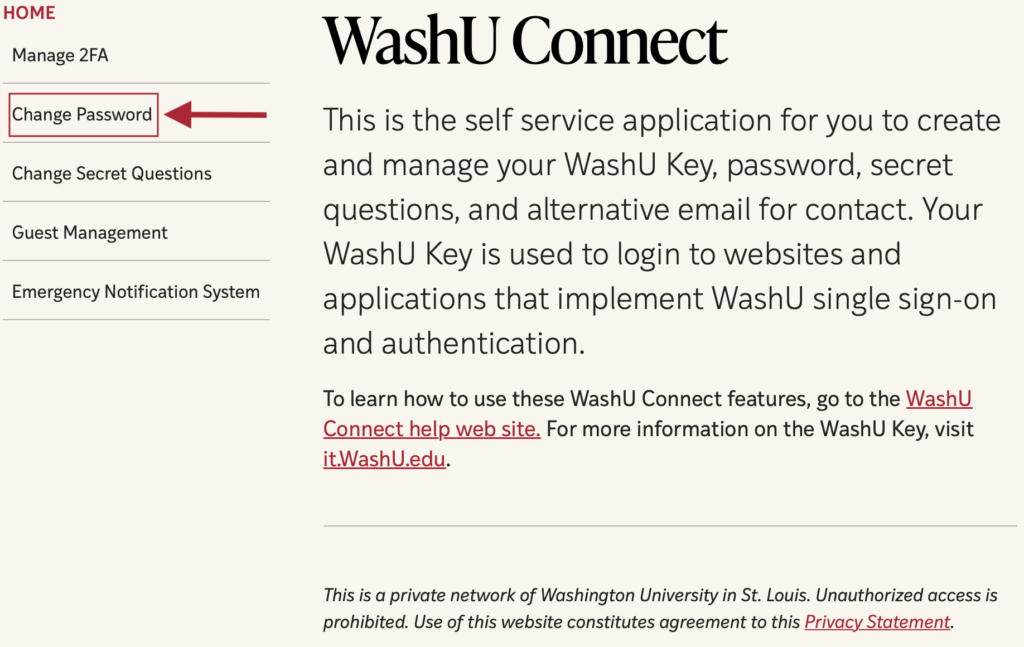
2. Select Change Password.
3. Enter current and new passwords and select Change Password.
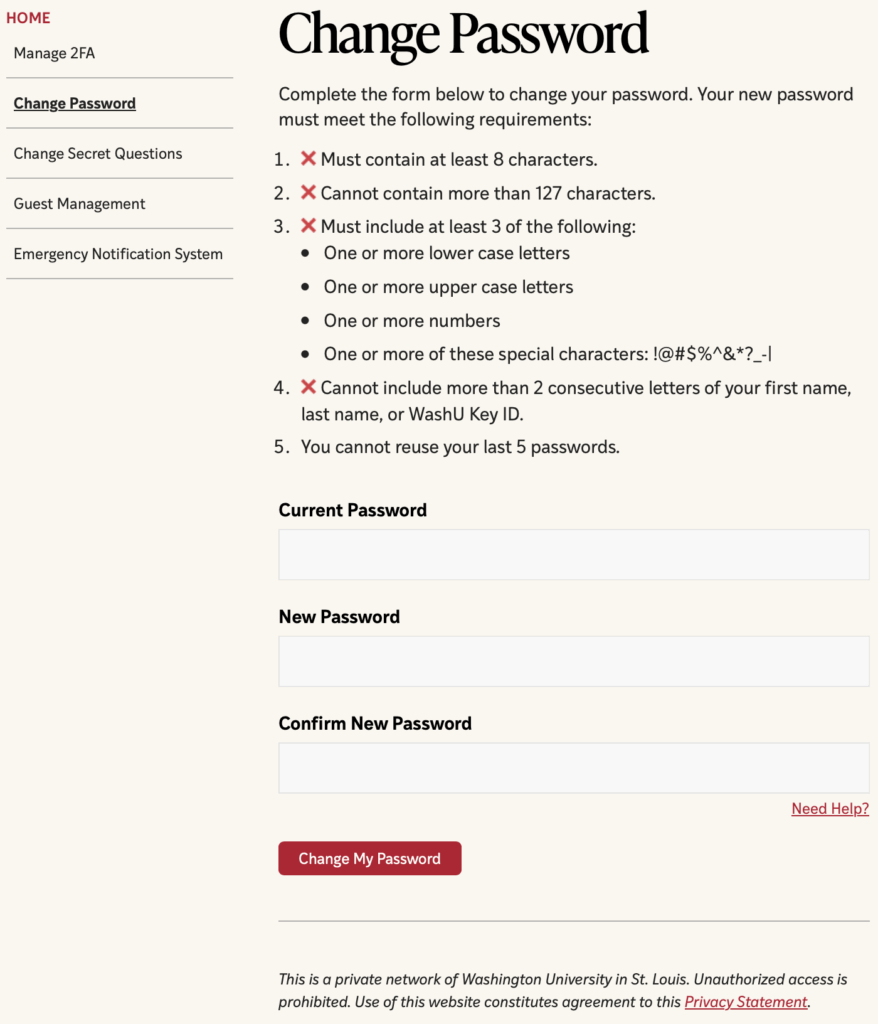
- If your password met the requirements, you will be taken to the password confirmation page.
- Notes:
- You’ll need to enter your new password twice, to ensure you entered what you expected.
- Your new password will be required to meet the complexity criteria. If it does not, you will have to change it to something else.
4. Select OK on the password confirmation page.
- How to create your secret questions
-
You can create secret questions and answers to give yourself more security and the ability to manage more of your security via MyAccess. To create your secret questions and answers:
1. Navigate to connect.wustl.edu.
2. Select Change Secret Questions.
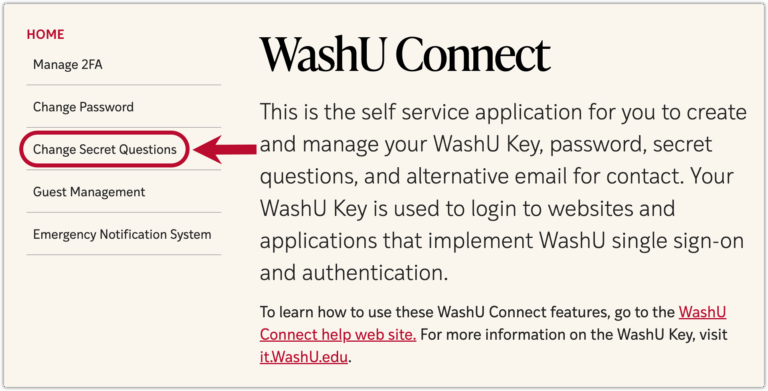
3. If you are not already logged in, you will be prompted to do so.
4. Choose your three questions and answers, and select Save.
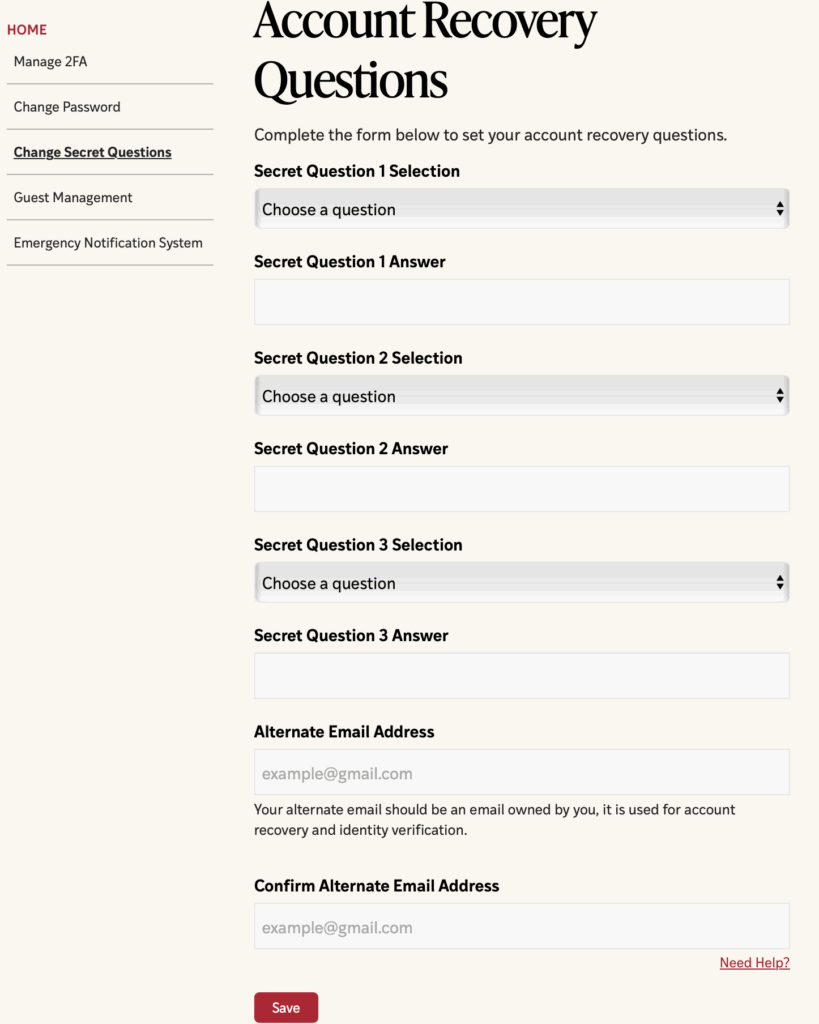
Note: Creating Secret Questions is optional, but if you do not create them, you will not be able to perform MyAccess functions such as resetting your password online.
- How to create your WashU Key
-
Navigate to connect.wustl.edu.
The following are the steps to successfully create your WashU Key:
- Select the link above. You will be prompted to login to WashUConnect using your current Login ID.
- Select your new Login ID from the list of possible Login IDs provided.
- Select a password. Your password must meet the requirements listed on Step 2 of the WashU Key Registration Page.
- After you create your WashU Key, please be sure to set up your Secret Questions.
If you successfully created your WashU Key, you will get a confirmation page. Be sure to remember your WashU Key! Once your WashU Key is created, you MUST use it to login to all WashU Connect supported applications.
- How to log in to applications using your WashU Key
-
Logging on to an application with your WashU Key is quite easy.
1. Select the login button on the home page of the application you want to access. This will take you to the WashU Key Login page.
2. Enter your WashU Key Login ID and password. Then select “Login”.
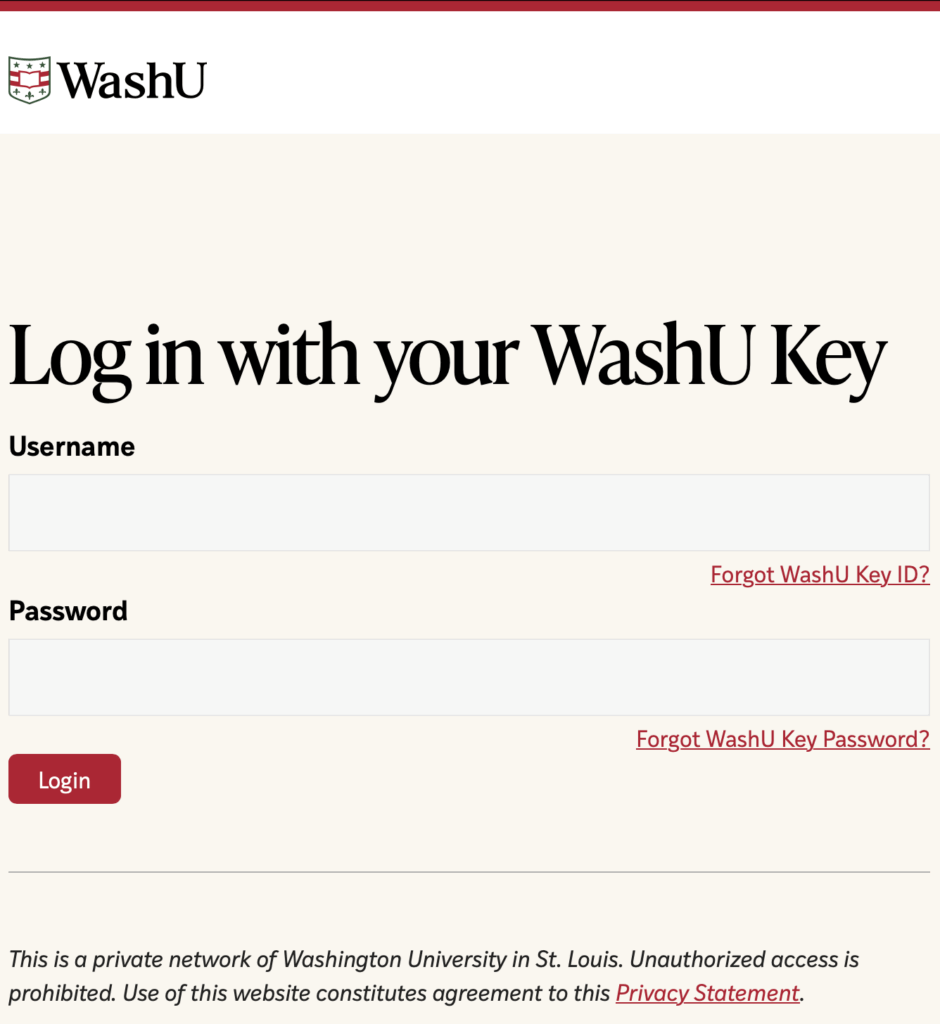
After you successfully log in to WashU Connect, you will be redirected back to the application you originally intended to enter.
Notes:
- If you incorrectly input your WashU Key or password, the following message will appear: “Invalid Login ID/Password. Please try again”.
- If you try entering your “old” login information, once you’ve selected your new WashU Key, the following message will appear: “Authentication Failed: This credential has been converted to a WashU Key credential. Please enter your WashU Key login ID and password”.
- Logging in with your WashU Key assumes you have already setup your new ID and password.
- If your password has expired, you will be automatically directed to a page to change/update your password.
- What to do if you forgot your WashU Key ID
-
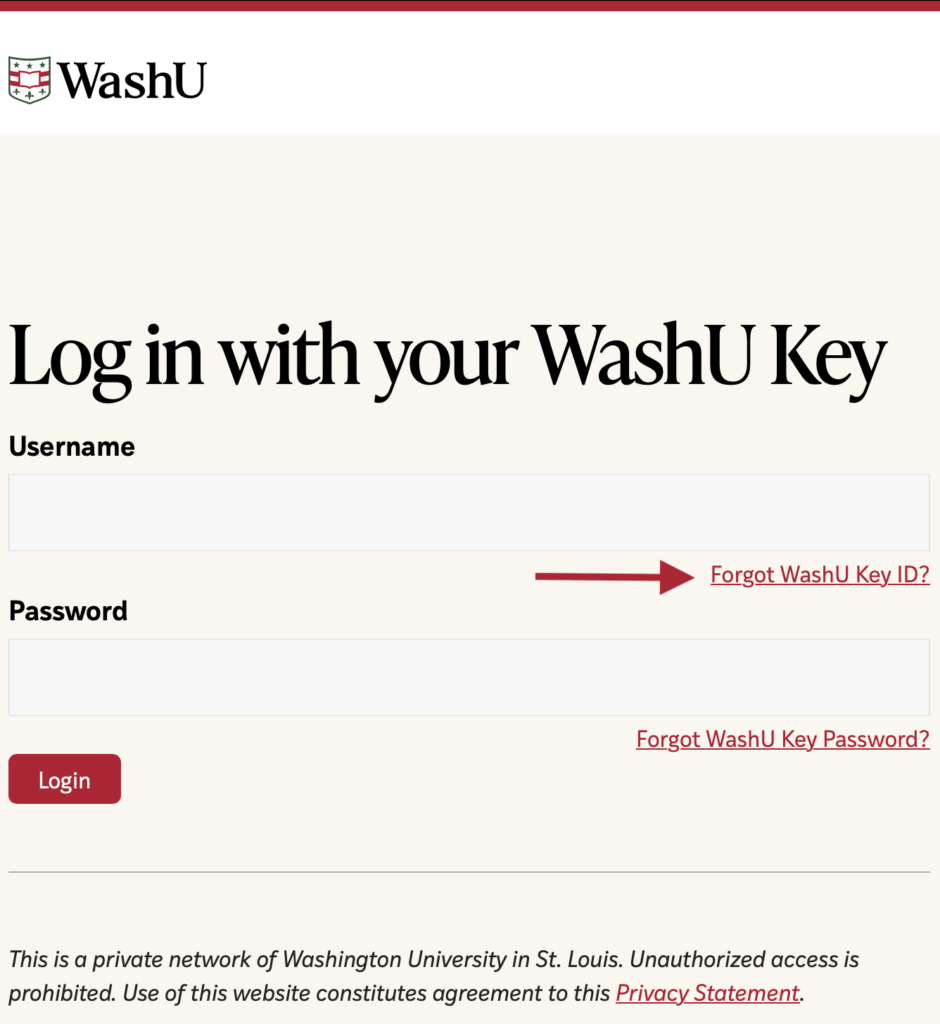
1. Navigate to the Forgot WashU Key ID page.
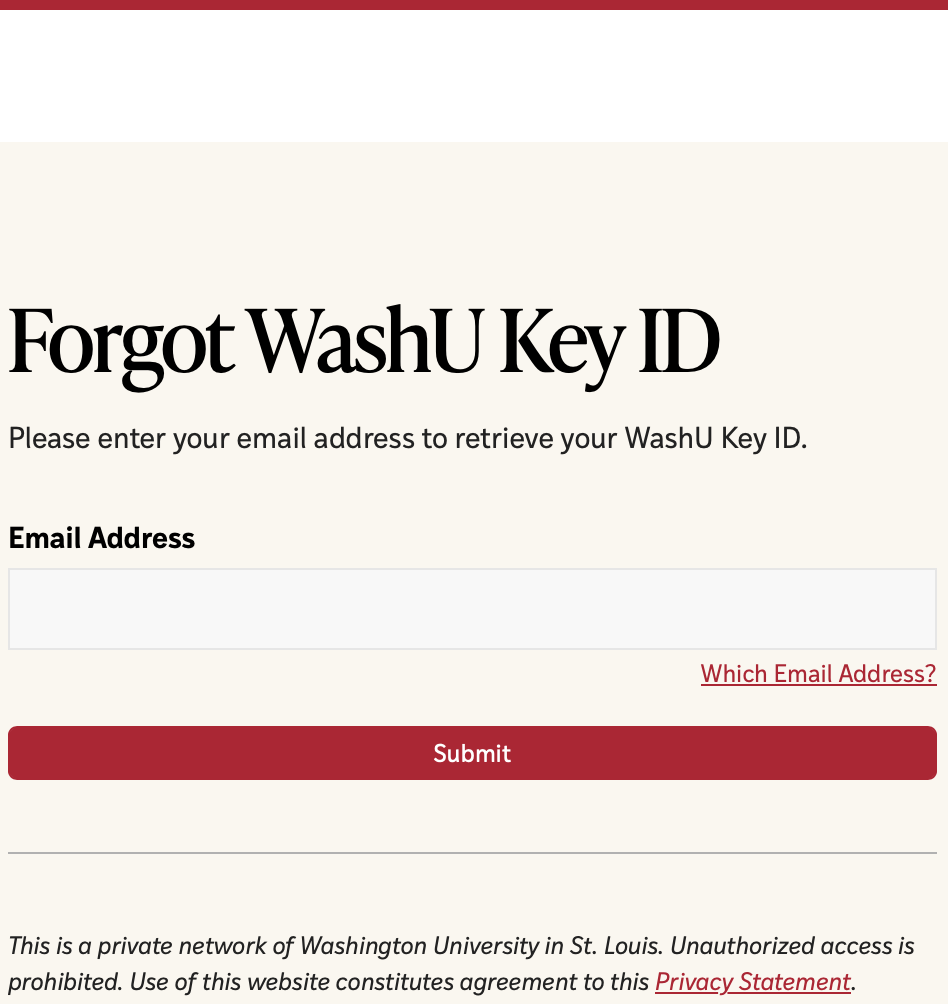
2. Enter your email address, then select “Submit.” Note: The email address you enter MUST be an email address stored in a University system for the WashU Connect system to locate your login ID.
If you do not receive requested information via email, please contact the WashU IT Service Desk at 314-933-3333.
- What to do if you forgot your WashU Key Password
-
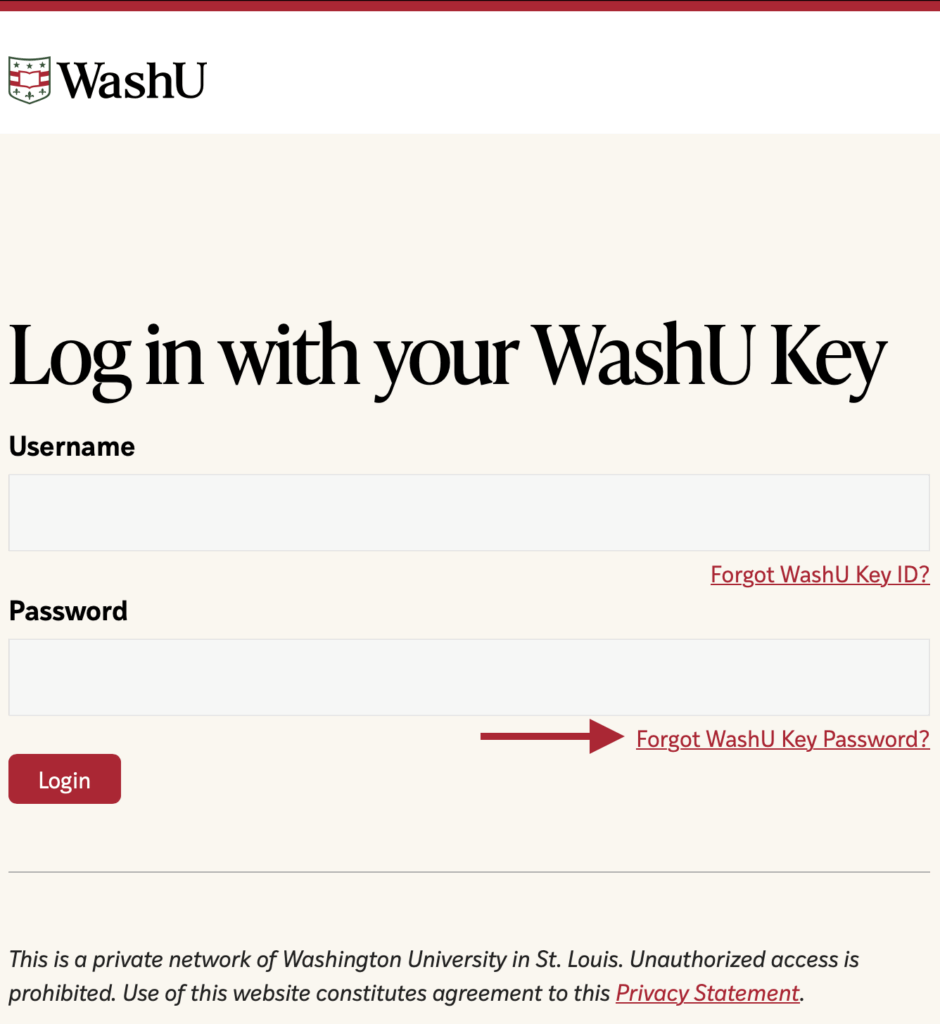
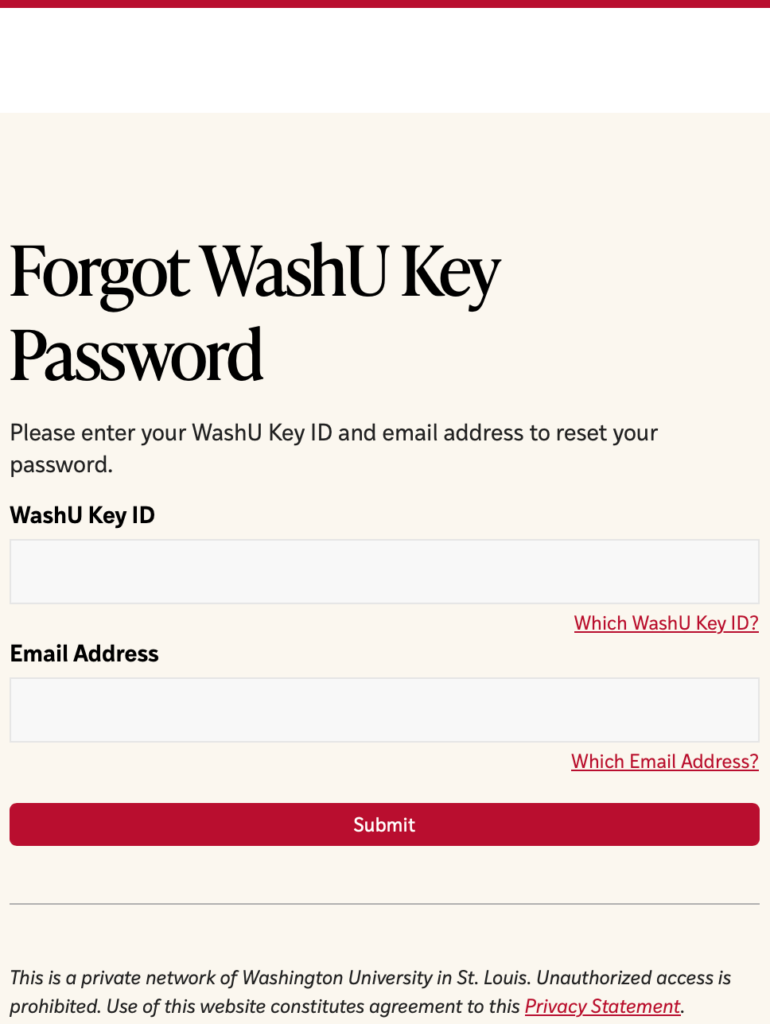
1. Navigate to the Forgot WashU Key Password page.
2. Enter your WashU Key ID, and your email address, then select “Submit.”
- Note: For secure authentication, you must enter an email address known by University systems.
3. Answer your three secret questions.
4. The final step in recovering your account password requires you to complete a multi-factor authentication prompt. Please follow the instructions to begin identify verification.
FAQ
- Can I bookmark the WashU Connect login page?
-
When adding bookmarks to your browser, it is important NOT to bookmark the actual WashU Connect login page. If you attempt to bookmark https://connect.wustl.edu/login/wulogin.aspx, you will receive an error. We recommend the use of one.wustl.edu.
- Can I change my WashU Key username or university email address?
-
Yes, your WashU Key, used for login to applications, computers, and websites, along with your university email address, ending in @wustl.edu, utilized for most University communications, are synchronized and thus both change when the WashU Key is updated.
Example:
- If your WashU Key Username is JDoe1 and you request a change to JDoe2, your WashU Key will change to JDoe2, and your email address will change to Jdoe2@wustl.edu.
When can I change my WashU Key username and university email address?
- A WashU Key username can only be changed in conjunction with a preferred or legal name change or if the existing WashU Key username compromises your identity, safety, or experience in any way.
- Students:
- Using Workday, verify and/or update your preferred name and legal name.
- Once you have verified your name has been changed, please contact Student Technology Services at (314) 933-3333.
- Faculty and Staff:
- Using Workday, verify and/or update your preferred name and legal name.
- Once you have verified your name has been changed, please contact the WashU IT Service Desk at (314) 933-3333
- Students:
Additional Information
- After your WashU Key username and university email address change, you may need to log into Office365 again using your new credentials (username and password).
- All emails sent to your old university email address will automatically be delivered to your new university email address.
- How can I make my password secure?
-
Passwords are a tedious but necessary part of our online experience. We have put together a list of guidelines to help you create a secure password. It is important that your password is something you can remember but difficult for others to guess.
Having a password that is easy to guess is equivalent to locking your door and leaving the key under the doormat. Without even resorting to any specialized tools, a hacker can discover your basic personal information, such as name, children’s names, birth dates, pets’ names, etc., and try all of those as potential passwords.
When creating a password, follow these guidelines:
- Do not use personal information. You should never include personal information in your password. It is very easy for someone to find your last name, your pet’s name, your child’s birth date, and other similar details.
- Do not use real words. There are tools available to help attackers guess your password. With today’s computing power, it doesn’t take long to try every word in the dictionary and find your password, so it is best if you do not use real words for your password.
- Mix uppercase and lowercase. Passwords are case-sensitive, meaning that an uppercase “T” is different than a lowercase “t.” Having both uppercase and lowercase letters will make it harder for a hacker to guess your password.
- Include numbers in your password. Adding numbers to your password increases the complexity.
- Add special characters such as ‘&’ or ‘%.’ Adding special characters can make passwords much more difficult to crack.
Tips for keeping your password safe:
- Set your Secret Questions in WashU Connect. Be sure that the answers to your secret questions are not easy to guess.
- Do not store your password in a browser on shared computers.
- Do not share your password. Sharing your password with others will enable them to access your personal information. It is your responsibility to protect your information by NOT sharing your WashU Key password with anyone.
- How do I Change my WashU Key Password?
-
Please use the applicable instructions below to change your WashU Key password.
- How do I get help with my WashU Key?
-
There are several resources available for getting help with the login process for University web applications:
- Online Self-Service – WashU Connect provides a number of self-service functions enabling you to find your WashU Key Login ID, reset or change your password, and manage your secret questions. Access WashU Connect Self-Service.
- Email Support – Send an email to Connect Support.
- Phone Support
- WashU IT Support: 314-933-3333
- What happens when I log out of WashU Connect applications?
-
Many applications, such as Workday, Canvas, and WashU Connect Self-Service, support Single Sign-on. When you log out of any one of those applications, you will be logged out of all the other single sign-on applications.
There are other applications that use your WashU Key, and you will not be logged out of them. To ensure that you are logged out of all WashU Connect-enabled web applications, be sure to close all browser windows when you leave your computer.
- What if I forget my WashU Key ID?
-
Please follow the instructions below if you forget your WashU Key ID.
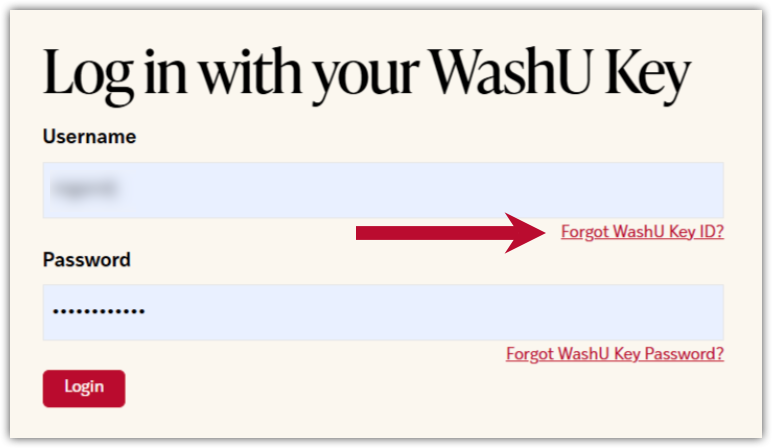
- Select Forgot WashU Key ID? on the WashU Key login screen.
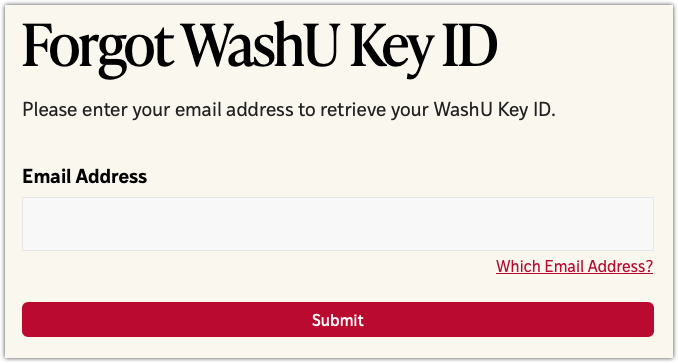
- Enter your email address, then select Submit.
- Note: Enter an email address on file with a University system to which you have access.
If you do not receive the requested information via email, please contact the WashU IT Service Desk at 314-933-3333.
- What if I forgot my WashU Key Password?
-
Please follow the instructions below if you forget your WashU Key Password.
- Select Forgot WashU Key Password? on the WashU Key login screen.
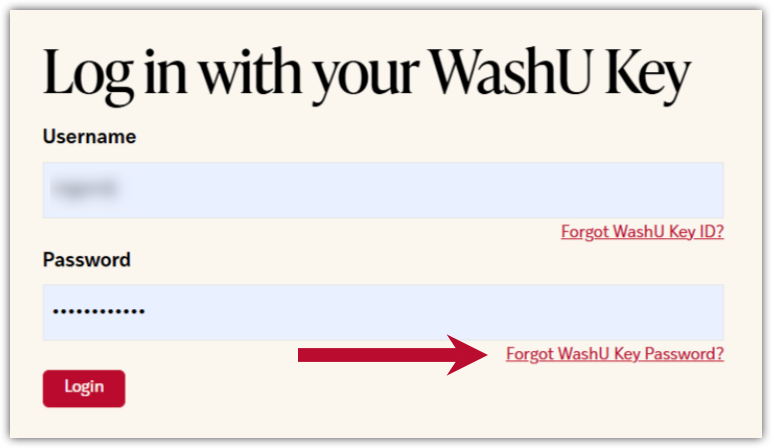
- Enter your WashU Key ID and your email address, then select Submit.
- Note: Enter an email address on file with a University system to which you have access.
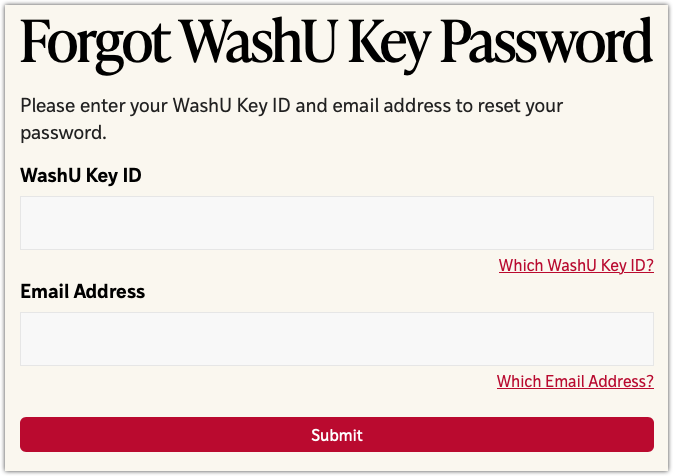
- Answer your three secret questions when prompted.
- The final step in recovering your account password requires you to complete a multi-factor authentication prompt. Please follow the instructions to begin identity verification.
- What is a Captcha?
-
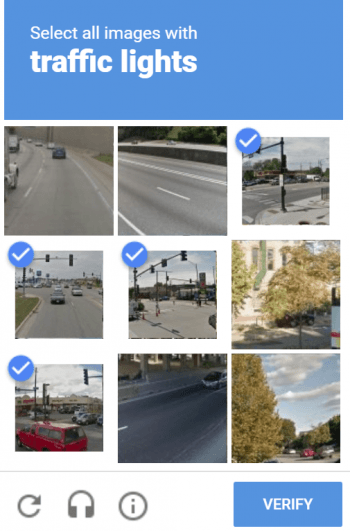
The Captcha verifies that the user is, in fact, a person, preventing internet robots from filling out web forms.
Select the checkbox to indicate that you are not a robot.
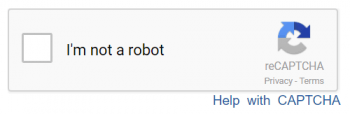
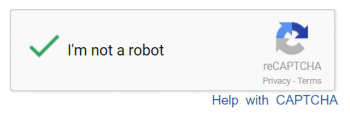
If you see this after selecting I’m not a robot, simply select the images that match the request.
- What is a WashU Key?
-
Your WashU Key is your WashU Connect Login ID and password combined. Every student, faculty, and staff member has a WashU Key credential and can use it to access WashU Connect-enabled applications.
Learn about choosing your WashU Key.
- What is password strength?
-
Password policies require you to use a certain number of letters, numbers or symbols. There is a password strength gauge on the page where you create your WashU Key password, which will provide additional guidance for creating a secure password – one that is difficult for others to “crack.”
- What is single sign-on?
-
Single sign-on (SSO) is a method of access control that enables a user to log in once and gain access to multiple applications without being prompted to log in again.
- What is the WashU Key Login ID?
-
Your Login ID is the unique ID that, when used in conjunction with your password, allows you to log in to Washington University systems. Your WashU Key Login ID and password can be used anywhere you see the WashU Key logo.

- Most individuals select their WashU Key Login ID when they first connect to a University system. Their Login ID is based on their name.
- If you don’t know your Login ID you may be able to retrieve it using the Forgot Login ID function.
- If you need help finding your Login ID, contact the WashU IT Service Desk at 314-933-3333.
- What is WashU Connect MyAccess?
-
WashU Connect MyAccess is a set of online pages where you can manage your WashU Connect personal information, such as your e-mail address and WashU Key Login ID, and recover a lost Login ID or password.
For information on using WashU Connects MyAccess functions, visit the guides.
- Which browsers are supported for WashU Connect?
-
WashU Connect should work with all modern browsers and operating systems. If you experience anomalies, please contact the WashU IT Service Desk at 314-933-3333.
- Why can’t I use WashU Connect MyAccess functions?
-
Some features of self-service may not be available to all users. Common restrictions are on Login ID retrieval or password reset functions. These functions are not allowed for users with administrative privileges – users who manage other users’ data.
Have Questions or Need Help?
Contact the WashU IT Service Desk at 314-933-3333 if you need assistance.
Have a non-urgent question? Email the WashU IT Service Desk at ithelp@wustl.edu.