Computers and Devices may need to be registered to connect to the wired network where NAC has been deployed to help protect patient, student, research, and academic data.
Please feel free to contact the Service Desk for assistance.
Select the appropriate option below for next steps.
To connect to internet only wired access please proceed to next page for step-wise instructions.
To request additional access to the on-campus wired network, please follow the above button to submit a request.
Do I need to register?
The table below categorizes devices and indicates whether the device needs to register to request additional network access.
| Device Category | Registration Required? |
|---|---|
| Devices obtained from End User Services | ❌No. Devices obtained from End User Services are automatically registered for WashU wired network access when deployed. |
| Devices that only need internet access | ❌No. Devices that only require internet access do not need to register. Follow the “Internet only instructions” button above for more details. |
| Devices obtained outside of End User Services | ✅Yes. Devices obtained outside of End User Services that require more than internet access must register and request wired network access. Follow the “Request additional access” button above for more details. |
Frequently Asked Questions
- What does “WashU wired network” mean?
-
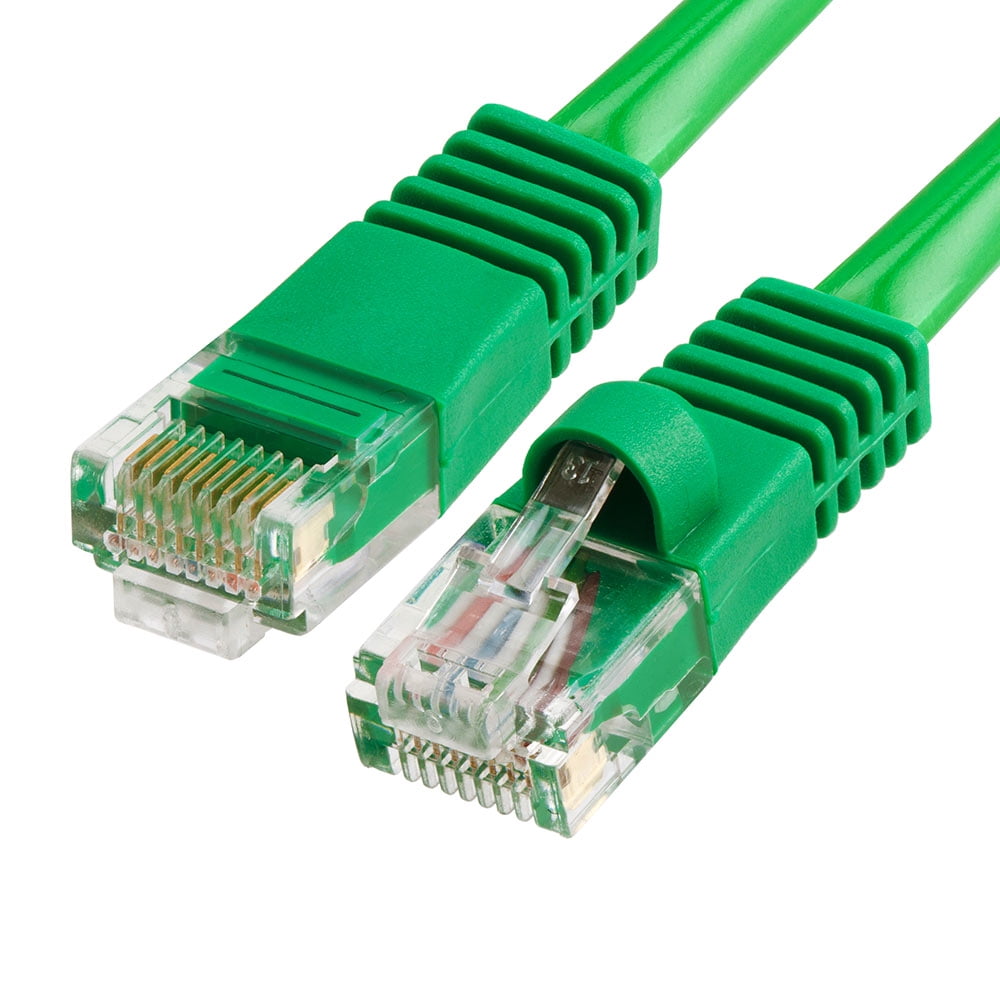
Devices connected to the WashU wired network will have an ethernet cable plugged into them.
When connecting, please use WashU cables.
In joint WashU-BJC spaces, WashU network cables are green.
- How are devices registered?
-
All computers and devices obtained from the WashU IT Depot are automatically registered for additional access to the WashU wired network.
To register computers and devices not obtained from the WashU IT Depot and require additional access to the wired network, simply scroll to the top of this page, select the appropriate option, and follow the instructions to fill out an access request form. Access request forms will be reviewed and approved by the Office of Information Security. If you would like assistance with filling out the form, please contact the Service Desk.
If a device requires only internet, you do not need to request additional access. Simply accept the in-browser prompt.
- Does device registration expire?
-
Once a device is registered it will remain registered provided it is active on the WashU wired network.
If the device is not active on the WashU wired network for six months or longer then the registration will expire and it must be re-registered.
- Can I move a device?
-
For most cases, if you are moving a device within the same campus, yes, you can remove the network cable from a device, move it, and plug it back into the WashU wired network. This will not impact the device’s registration.
However, if you move the device from the Medical campus to Danforth or vice versa, you may need to re-register the device.
- There aren’t enough available network jacks. What should I do?
-
If there are an insufficient number of connections, please fill out the following Network Activation form.
You may not connect personal routing or switching equipment to WashU network jacks. Unauthorized access points are prohibited by the Network Services Policy. Any personal routers detected on the network will be automatically disconnected to ensure network security, safety, and stability.
LINK to related Policy: Policy 106, Sections 106.01 and 106.03
LINK to related Standard: Standard 206, Section 206.1.05
- What information do I need to register my device?
-
In order to reach the registration form, you will need to log in using your WashU key. Registration also requires the computer or device’s MAC address(es). For assistance finding your device’s MAC address, please contact the Service Desk.
- What kinds of devices need to be registered?
-
Devices that need internet only do not need to register.
Devices obtained via End User Services (EUS) are automatically registered for the wired network.
Devices obtained from a different source that need additional wired network access must be registered using the link above. These devices will see an in-browser pop-up when initially connected to the internet.