The Washington University Wireless Network is based on state-of-the-art Cisco wireless controllers and access points (APs) and offers speeds up to 1gbps (802.11ac) in supported areas.
Wi-Fi Calling
At WashU, you can use Wi-Fi calling to ensure connectivity. To enable Wi-Fi calling on your device, go to Settings > Cellular > Wi-Fi Calling and turn it on. If you have a compatible smartphone, Wi-Fi calling allows you to make and receive calls over Wi-Fi, which is particularly useful in areas with weak cellular coverage.
Danforth Campus Wireless Networks
- Faculty, staff, and students on the Danforth Campus are recommended to associate to the eduroam wireless network.
- For troubleshooting information, please contact your local IT Helpdesk.
- This wireless access requires only a web browser and WashU Key. Once a device is authenticated and rebooted, it is permanently registered and does not require any additional or future configuration.
- After successful registration, please reboot your device in order for registration to take effect.
- Wireless access that utilizes WashU Key authentication and PEAP/MSCHAPv2 encryption. This network requires additional configuration.
- Please see your local IT Helpdesk for configuration and troubleshooting assistance.
- Faculty, staff, students, and other participating universities.
- Eduroam (education roaming) is the secure worldwide federated network access service developed for the international research and education community.
- For instructions on connecting to Eduroam, please visit the Connect webpage.
- Medical School students, faculty and staff can connect to the encrypted WUSM Secure wireless network on the Medical Campus and when visiting the Danforth Campus.
- Limited bandwidth access for guests only that doesn’t require a login. Many WashU resources are unavailable using wustl-guest. This network is not recommended for faculty, staff, and students.
Medical Campus
- Faculty, staff, students, and other participating universities.
- Eduroam (education roaming) is the secure worldwide federated network access service developed for the international research and education community.
- For instructions on connecting to Eduroam, please visit the Connect webpage.
- Faculty, staff, students, and other participating universities.
- Eduroam (education roaming) is the secure worldwide federated network access service developed for the international research and education community.
- For instructions on connecting to Eduroam, please visit the Connect webpage.
- Limited bandwidth access for guests only that doesn’t require a login. Many WashU resources are unavailable using wustl-guest. This network is not recommended for faculty, staff, and students
Other Campus Wireless Networks (available on both campus)
- A rogue access point is a device that has been installed or managed by someone other than Network Services.
- Unauthorized access points are prohibited by the Network Services Policy. This policy is needed to manage the limited air space.
- These measures also help facilitate a common standard for wireless networking that will be available to all legitimate users. If an unauthorized Access Point is identified, the owner will be asked to remove the device from the network.
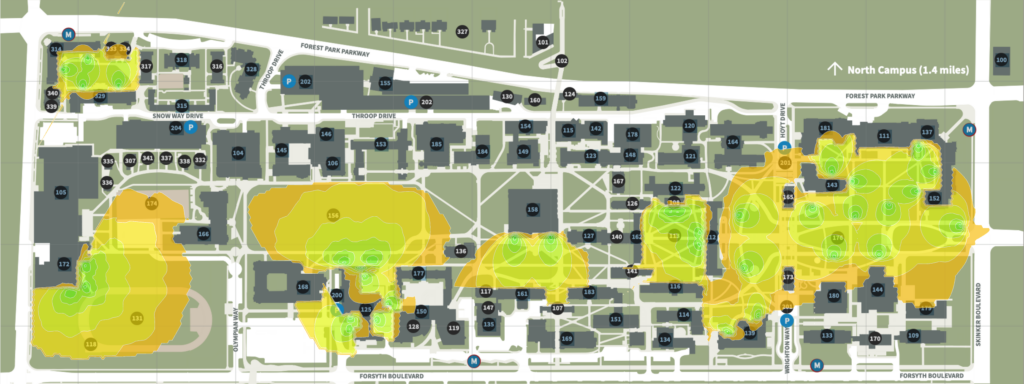
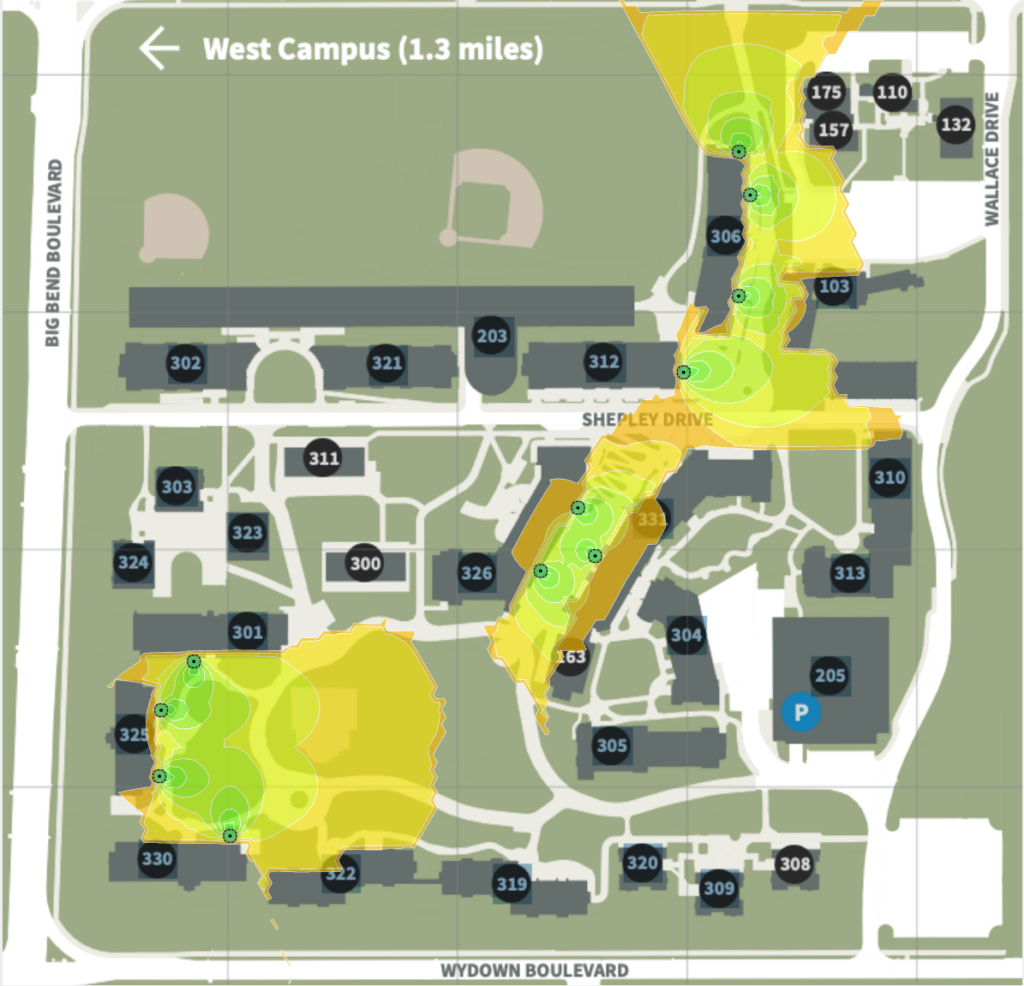
Outdoor Wi-Fi Coverage Maps