Workspaces and Eligibility | Eligibility Requirements | Claude Chat | Claude Edu Special Features | Subscription Tiers | Using Claude Securely | For New Users | Resources | FAQ | Restrictions for Use

Claude for Education is a WashU AI assistant tool available to the university community that provides secure, private access to Anthropic’s most powerful AI models in an environment designed for academic, clinical, and administrative work.
Conversations are not used to train the model, making an appropriate environment for working with WashU or personal intellectual property, or for developing research, writing, or code that is intended to remain private.
Claude for Education is available at WashU through two distinct workspaces: Claude Edu and Claude Secure.
Claude Workspaces and Eligibility
Claude Edu
Available to all faculty and staff via paid subscription and to Danforth students at no cost*.
Not approved for use with WashU PHI.
Approved for use with FERPA-protected data and WashU or personal intellectual property.
Note: An exception review is automatically added to the request when the user’s role includes access to PHI.
What is included with Claude Edu:
- Claude Chat, including Projects
- Claude Cowork — hand off multi-step work across files
- Claude Code — build and fix software from the command line
- Claude Design — slides, prototypes and one-pagers
- Desktop and mobile apps
Standard subscription: $16/user/month
Premium subscription: $50/user/month
Claude Secure
Available to all faculty and staff via paid subscription.
Approved for use with WashU PHI.
Approved for use with FERPA-protected data and WashU or personal intellectual property.
What is included with Claude Secure:
- Claude Chat, including Projects
- Work with PHI in your conversations and project files
- Upload and analyze documents, spreadsheets and images
- The same frontier models as Claude Edu
- Desktop and mobile apps
Note: Claude Cowork, Claude Code, and Claude Design are not available with a Claude Secure subscription or within the Claude Secure workspace.
Standard subscription: $16/user/month
Premium subscription: $50/user/month
* Danforth students who complete the AI Literacy Canvas module will have the standard Claude Edu subscription fully subsidized, giving them access to Claude Edu at no cost.
| WashU Enterprise AI Tool | Claude Chat capability | Claude Code capability | Claude Cowork capability | Approved for use with WashU PHI | Approved for use with FERPA data |
|---|---|---|---|---|---|
| Claude Edu |  | | |  | |
| Claude Secure | | | | | |
Eligibility Requirements
Danforth Students
Danforth students must complete the AI Literacy Canvas module to have their standard Claude Edu subscription fully subsidized, giving them access to Claude Edu at no cost.
After completing the module, students can follow these steps to set up a Claude Edu account.
Faculty and Staff
Faculty & staff may request and pay for a subscription by submitting an Anthropic Claude Secure and/or Claude Edu Subscription request form.
NOTE: WashU Medicine users must obtain approval to use non-PHI-approved AI tools. If your WashU account is identified as having PHI access and you’ve requested Claude Edu, WashU IT will send you a brief survey and submit the exception request on your behalf.
Claude Chat: Features and Capabilities
Claude Chat is the core experience shared across Claude Edu and Claude Secure. It gives users a flexible workspace to ask questions, develop ideas, analyze information, create content, and work through complex tasks.
PROJECTS
Keep instructions, reference files, and related chats together so every conversation starts with the context needed.
WORK ACROSS FILES
Upload PDFs, Word documents, spreadsheets, and images, then ask questions and work across them in one chat.
ANALYZE DATA
Clean datasets, run analyses, and turn data into useful charts, tables, and insights within the conversation.
WRITE & REVISE
Draft, tighten, restructure, and adapt content for different audiences while using your own materials as reference.
Write & debug code
Write scripts, troubleshoot, understand code, and produce working output without leaving your conversation.
Work with long docs
Analyze protocols, contracts, manuscripts, and lengthy documents while keeping context in view.
CREATE ARTIFACTS
Build documents, tables, and interactive tools alongside your conversation, then review and refine them as you go.
SEARCH THE WEB
Bring current information into the chat when you require up-to-date sources, research, or context from the web.
CONNECT TO WASHU SYSTEMS
Use approved connectors to bring information from WashU systems directly into chats.
Claude Edu: Collaborate, Code and Design
As part of the Claude Edu workspace, users have access to three additional Claude products at no extra cost: Claude Cowork for agentic knowledge work, Claude Code for software development, and Claude Design for visual prototyping and creative work.
Claude Cowork
Claude Cowork brings agentic capabilities to everyday knowledge work, without requiring any coding skills. Claude can take on multi-step tasks across documents, spreadsheets, and other everyday tools, reading files, drafting content, organizing information, and more.
Sessions can be started from the web, desktop, or mobile app, and continue running even after stepping away. Sessions run in the background, with progress checked or picked up again from the mobile app.
Claude Code
Claude Code is an agentic coding tool built for developers to move from idea to working code faster. Whether building a feature, fixing a bug, or carrying out a refactor, work can be handed off directly to Claude. It plans the implementation, makes changes across multiple files, runs tests, and iterates with as much oversight as the project requires.
Writing analysis scripts, cleaning and processing data, or building one-off tools is often essential to research projects, but it is rarely its focus. Claude Code takes on that repetitive coding work, freeing up time for the analysis itself. It can move from a data question to working code quickly, without a long development cycle, and it makes functional code achievable even without a strong programming background.
Claude Code is available from the command line or desktop app, with sessions that can also be started, monitored, or managed from a mobile device. It also supports cloud-based tasks that continue running independently, even when the laptop is closed.
Claude Design
Claude Design turns ideas into polished visual assets, including designs, prototypes, slide decks, one-pagers, and more.
Instead of starting from a blank canvas, Claude generates an initial draft from a simple description. From there, it can be refined through conversation, inline comments, direct edits, or custom controls. Concepts come together quickly, making it easy to create high-quality visual work regardless of design experience.
Claude Edu and Claude Secure Subscription Tiers
Claude Edu and Claude Secure offer Standard and Premium subscription tiers, with usage quota as the only difference between tiers.
Claude Edu Tiers
| Tier | Best For | Quota | Cost |
|---|---|---|---|
| Claude Edu Standard | Most users, including occasional Cowork or Code | 2.5x | $16/user/month |
| Claude Edu Premium | Regular use of higher-cost models, reasoning, Cowork, Code or Design | 12x | $50/user/month |
Claude Secure Tiers
| Tier | Best For | Quota | Cost |
|---|---|---|---|
| Claude Secure Standard | Day-to-day work involving PHI | 2.5x | $16/user/month |
| Claude Secure Premium | Heavy document analysis and higher-cost models | 12x | $50/user/month |
Quota amounts are set by Anthropic and are relative to the Pro plan. Learn more about best practices for usage limits.
Interested in requesting access?
Faculty, staff, and departments may submit a subscription request here.
Using Claude Edu and Claude Secure Securely
To verify that you are using the WashU-protected workspace, look for the “Claude Edu” or the “Claude Secure” label at the lower left corner of your screen after signing in.
After signing in at claude.ai, check the bottom-left corner of the sidebar:
- Look for your name (e.g., “John Doe”) at the bottom of the left sidebar.
- Below your name, you should see “Claude Edu” or “Claude Secure” in smaller text.
- If you don’t see it, click the account switcher to switch to the WashU Team workspace.
Note: Only conversations within the WashU Claude Edu and the Claude Secure workspaces are protected under WashU’s enterprise agreement.
For New Users
Once your request has been approved, you will be invited to WashU’s Claude Edu or Claude Secure workspace. Because you may already have a personal Anthropic account, the following steps provide guidance on accepting WashU’s invitation and accessing Claude Edu or Claude Secure using the WashU Key.
- Receive Welcome Email
-
This email from WashU IT will introduce the platform and provide a link to access and accept the Responsible Use Acknowledgement.
- Access and Accept Responsible Use Acknowledgement
-
Before being granted access to WashU’s Claude Edu or Claude Secure workspace, individuals will be required to review and acknowledge expectations for safe and responsible use of Claude. The welcome email includes a link to the Responsible Use Acknowledgement.
- Access Claude Edu or Claude Secure
-
After accepting the agreement, an account will be automatically created. This process typically takes 40-90 minutes.
New users will receive an email from Anthropic once provisioning is complete, notifying them that they have been added to the appropriate WashU Claude environment. The email subject line may vary depending on whether the user is provisioned for Claude Edu or Claude Secure. The account should be ready to use upon receipt of the email.
Once the account has been provisioned, you can go to claude.ai to sign in.
- Add the WashU Email
-
Enter your WashU email and select Continue with email.
- Confirm to use WashU Key for Login
-
You will be directed to sign in with your WashU credentials.
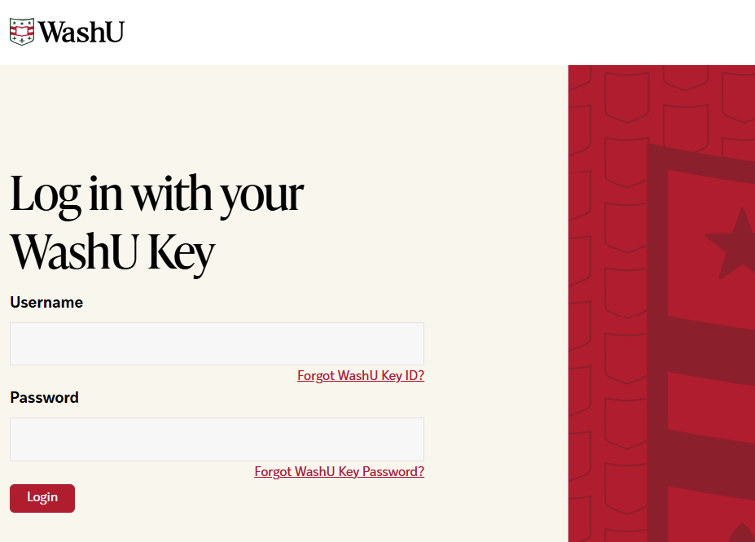
- Log in with WashU Key
-
Enter your WashU Key details.
Please note that the WashU Key login is bypassed if you already have a valid WashU Key session.
- Use Claude for Education Securely
-
You are now logged into the workspace using your WashU account and can securely interact with its features.
Resources for Current Users
- Anthropic-Provided Support
- WashU IT Support
-
- Email ithelp@wustl.edu
- Using Claude Edu at WashU (Workday Learning program for faculty and staff)
Extend Your Claude Experience
Log in to AI Extras to see plugins, connectors, and skills available with your Claude subscription and enable what you need.
FAQ
General Questions
- Does WashU monitor my chats?
-
Not routinely. Usage data and metadata may be reviewed for security, compliance, and license management.
- Does Claude Chat support text, images, and code in one session?
-
Yes. Claude Chat can process text, analyze images, write and execute code, and create visualizations all in one conversation.
- Is my data used to train Anthropic’s models?
-
No. Under WashU’s enterprise agreement, conversations in the Claude Edu and Claude Secure workspaces are not used for model training.
- Can I use the mobile app securely?
-
Yes, if signed in with your WashU account. Verify “Claude Edu” or “Claude Secure” appears under your name.
- Can I use Claude Edu and Claude Secure securely in a browser?
-
Yes. Navigate to claude.ai, sign in with your WashU Key, and verify “Claude Edu” or “Claude Secure” appears in the lower-left corner.
- Will my data be private?
-
Yes. Conversations are private and excluded from model training.
Note: Do not enter or upload Protected Health Information (PHI) in Claude Edu.
- When would I lose access to Claude Edu or Claude Secure?
-
Access may be revoked if you leave the university, violate the Appropriate Use Agreement, or if the pilot ends.
Anthropic has clear guidelines for the responsible use of its AI systems through its Usage Policy. The company actively monitors for misuse and enforces these standards, including issuing warnings, suspending accounts, or terminating access when users violate its policies.
- Can Claude Edu and Claude Secure access current web information?
-
Yes. Claude Edu and Claude Secure can access current web information when needed. If a question requires up-to-date content, such as recent news, events, or facts that may have changed, Claude Edu and Claude Secure can search the web and incorporate relevant sources into its response.
- How long do Claude Edu and Claude Secure retain chat history?
-
Claude Edu and Claude Secure retain chat history for 18 months.
- What happens if I already have an existing Claude account with Anthropic?
-
WashU Claude Edu and Claude Secure are separate subscriptions from any existing Claude plan you may have with Anthropic. If you currently have a personal Claude subscription, it will continue to coexist alongside your WashU Claude Edu or Claude Secure access.
- How can I learn more about my usage against my quota?
-
In Claude Edu or Claude Secure, click your name, select settings, then select usage to view your usage relative to your tier’s quota. Learn more about usage limit best practices
- How can my lab/team/project subscribe to Claude Teams?
-
If you would like your team to use Claude, please submit a Claude subscription request for each individual via ServiceNow.
Workspace-Specific Questions
Claude Edu Questions
- Is Claude Edu approved for HIPAA and FERPA data?
-
Claude Edu is not approved for use with PHI. It is approved for use with FERPA-protected data.
Learn important information about using AI with PHI at WashU.
- I have access to PHI but want Claude Edu. What do I do?
-
Request Claude Edu as normal. During fulfillment, WashU IT will send you a short survey and file an exception on your behalf. You will get an activation email once it’s approved.
Claude Secure Questions
- Is Claude Secure approved for HIPAA and FERPA data?
-
Yes, Claude Secure is approved for use with PHI and FERPA-protected data.
Learn important information about using AI with PHI at WashU.
- Why are Claude Cowork, Code and Design not included with Claude Secure?
-
Cowork, Claude Code, and Claude Design sit outside the BAA by design — this isn’t a seat or tier gate, it’s a coverage boundary Anthropic draws at the product level.
- How do I confirm I’m in the Claude Secure workspace?
-
To verify that you are using the WashU-protected workspace, look for the “Claude Secure” label at the lower left corner of your screen after signing in.
Restrictions for Use
Claude Edu is limited to University-related activities such as academic teaching or research. Personal use is prohibited.
This application is not appropriate for use with data protected by HIPAA. Be sure to follow all legal, regulatory, and University policies when collecting or storing sensitive data. If unsure whether or not your tasks or documents contain sensitive data, contact the departments below for guidance.
- HIPAA Privacy Office for Protected Health Information (HIPAA)
- University Registrar for Protected Student Information (FERPA)
- Information Security, including Personally Identifiable Information (PII)
- Human Research Protection Office for the use in human research studies